
Universal Agent Workflow that you can plugin any Harness: Claude Code, Grok Build, Hermes, Pi, Codex, and more
The USB-C for Coding Agents: Define Your Own Agents and Plug In Grok Build, Claude Code, Codex CLI

The USB-C for Coding Agents: Define Your Own Agents and Plug In Grok Build, Claude Code, or Anything Else
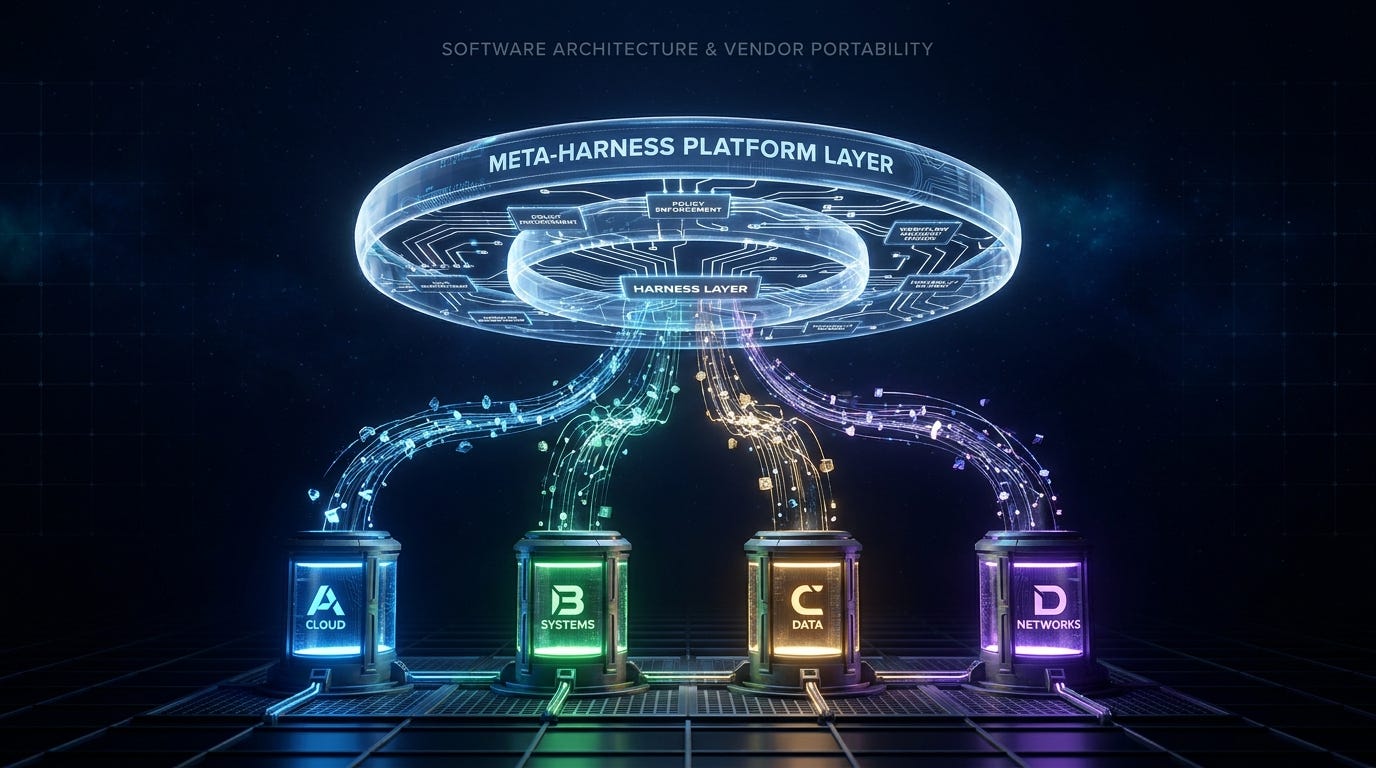
You don’t have to pick a side in the coding-agent wars.
Claude Code, Codex, Cursor, Grok Build, OpenCode, Hermes, Pi… every one of them has a different CLI, different approval model, different conventions for worktrees and reviews. Most teams respond the only way that feels natural: they wire their scripts, review bots, planning commands, and state management directly to whichever agent they adopted first.
Six months later, that plumbing is the real lock-in. Not the model. The automation you built around one vendor’s interface.
There is now a better pattern.
A thin compatibility layer (a meta-harness) that sits above the agents. You define the workflow once — policies, review rules, durable tickets, parallel worktrees, approval semantics — then treat the underlying agent runtime as a pluggable backend. Claude Code one day. Grok Build the next. A custom agent you wrote in YAML this morning. Same policies. Same review process. Same state.
Two open-source projects make this real today: Omnigent and ai-engineering-harness.
This is the layer that finally lets you own the workflow instead of renting it from the agent vendor.
The Lock-In Nobody Planned For
Nobody sits down and decides to create vendor lock-in. It accumulates.
You write a few scripts to spin up worktrees the way that the agent expects. You add a review command that knows how to parse its output. You build a planning flow that matches its approval semantics. None of it feels like a bet. It feels like plumbing.
Then someone wants to evaluate a different agent; pricing changed, a new model is better on your codebase, the vendor got acquired. Suddenly the question appears: how much of this automation is actually portable?
Usually less than you hoped.
The workflow logic (how you decompose tasks, when you ask for human confirmation, how you manage state across sessions, how you review output) is buried inside scripts that talk to one specific CLI. Swapping the agent does not swap the workflow. It forces you to rewrite it.
That’s subtler and more expensive than model lock-in. The dependency lives in your code.
Think of it like an HVAC system. The thermostat is the control logic: when to heat, when to cool, what temperature to hold. The furnace is the execution backend. Most home automation bakes those two concerns together in proprietary wiring. A well-designed system puts the control logic in the thermostat and treats the furnace as a pluggable component.
AI coding automation has the same problem. Most teams wired the thermostat directly to one furnace.
The meta-harness pattern separates them.
Omnigent: The Meta-Harness That Treats Agents as Slots
Omnigent is an Apache-2.0 meta-harness that sits above agent execution. It can run and supervise Claude Code, Codex, Cursor, OpenCode, Hermes, Pi, and custom agents you define yourself in YAML.
That last capability is the real product.
You write a short YAML file:
name: hello_agent
prompt: |
  You are a concise assistant. Answer directly and ask a follow-up question
  when the request is ambiguous.
executor:
  harness: claude-sdk
  model: databricks-claude-sonnet-4-6
  auth:
    type: databricks
    profile: oss
omni run ./my-agent.yamlBeyond this minimal shape, the same YAML spec supports optional top-level blocks for tools (MCP tools, Python functions, sub-agents, or handoffs to other agents), policies, and os_env (local file and shell access). Swapping the executor.harness value is the entire cost of pointing this same agent definition at a different vendor.
Extending to an Agent Omnigent Does Not Ship: Grok Build via ACP
Grok Build, xAI’s coding-agent CLI, is not one of Omnigent’s built-in harnesses. It does not need to be, because Omnigent includes a generic harness for the Agent Client Protocol (ACP), the editor-agnostic protocol several coding agents already speak. Grok Build is one of them, through its own agent stdio mode.
Install Grok Build and confirm it can act as an ACP server:
curl -fsSL https://x.ai/cli/install.sh | bash
grok login
grok agent stdio
Then register it with Omnigent as a custom ACP agent (omni setup → configure harnesses → “Custom ACP agent” → Add, giving it a name and the launch command grok agent --always-approve stdio). Omnigent stores the registration in a top-level acp: block in ~/.omnigent/config.yaml and exposes it under a stable harness id, acp:grok-build, that you can reference from any agent YAML:
executor:
  harness: acp:grok-build
Omnigent does not store or manage Grok Build’s own credentials; you authenticate to Grok Build through its own CLI (grok login, or XAI_API_KEY for headless use) before registering it. This is the concrete version of the extensibility this article has been arguing for: a coding agent nobody wired in by name still becomes a pluggable backend, because the harness spoke a shared protocol instead of hardcoding a vendor list.
The Signature Pattern: Parallel Worktrees + Cross-Vendor Review
The control layer Omnigent provides covers policies, sandboxing, cloud execution, session sharing, and multi-agent patterns. The most illustrative documented pattern is parallel Git worktrees with cross-vendor review.
The idea: delegate implementation to multiple AI Agents working simultaneously in separate Git worktrees, then route each agent’s diff not to the same agent that wrote the code, but to an independent reviewer from a different vendor. Implementation and review are decoupled at the vendor level. That is a genuinely different architecture from anything built into a single agent’s own workflow.
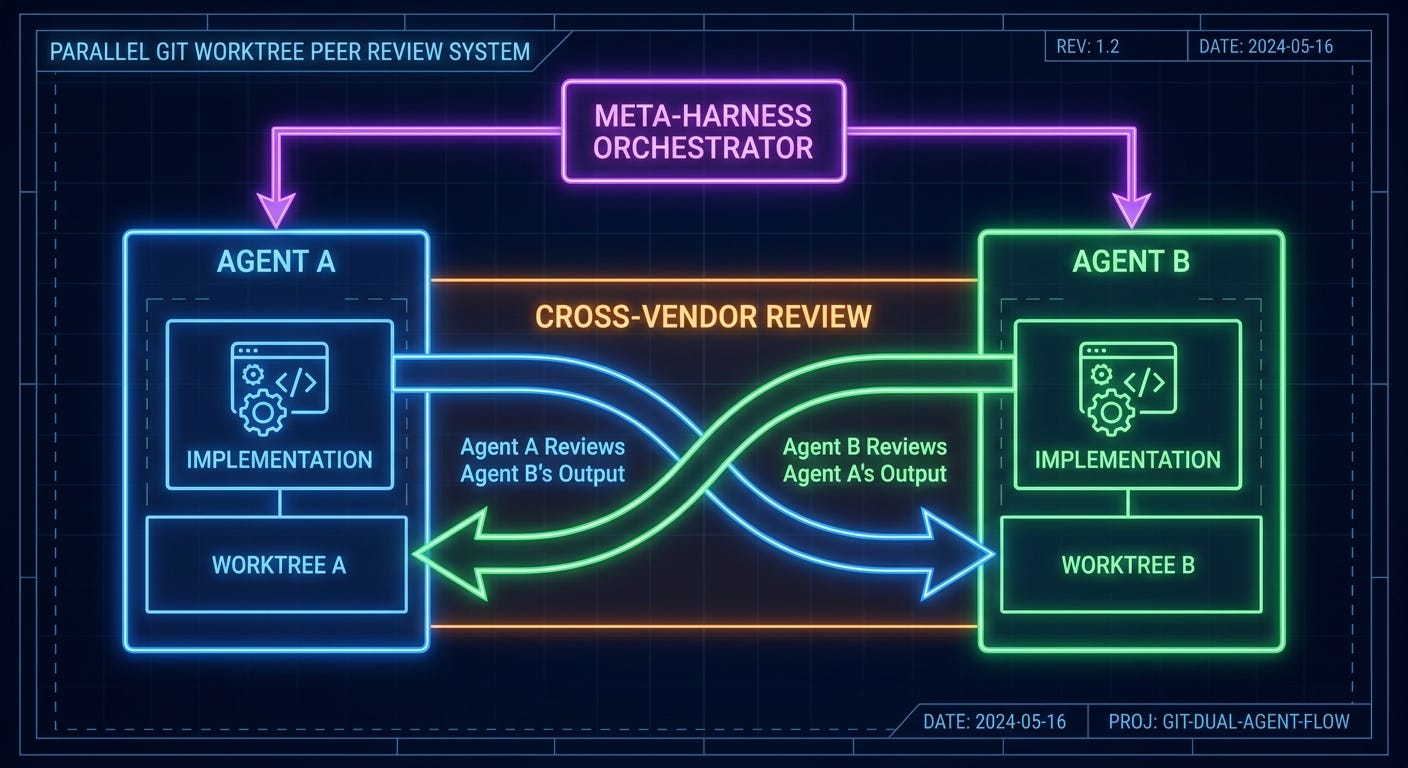
You can run the bundled example:
omni run examples/polly/ai-engineering-harness: Portable Skills and Durable Artifacts
The complementary approach is a shared context and workflow layer that installs the same commands, subagents, and durable artifacts into whichever agent you are using.
Registration is a one-time step:
deno install -Agf -n ai-harness \
  https://raw.githubusercontent.com/adrielp/ai-engineering-harness/main/install.ts
From there, installing the shared workflow into a given tool is one flag:
ai-harness --tool=claude      # writes into claude/skills/<name>/SKILL.md
ai-harness --tool=opencode    # writes into opencode/commands/ and opencode/skills/
ai-harness --tool=pi          # writes into pi/prompts/ and pi/skills/
ai-harness --tool=all         # all four at once
Once installed, the same slash-commands are available no matter which of the four agents you are sitting in: /init_harness, /create_plan, /implement_plan, /validate_plan, /worktree, and /debug. That consistency is the whole pitch. The command means the same thing whether you typed it into Claude Code or opencode, because the workflow logic behind it lives in the shared harness, not in either agent’s own configuration.
Durable artifacts (tickets, plans, research) are especially valuable. One of the biggest frictions in multi-agent work is that the output of one session does not cleanly carry over to the next agent. A harness-level format fixes that.
If you are a paid subscriber, thank you. Your support makes this work possible.
If you are a free subscriber and find these articles useful, please consider upgrading. A paid subscription is $80 per year or $8 per month.
Free subscribers typically receive access to the full versions of paid articles after one to two months.
