
Claude Managed Agents: Your First Claude Managed Agent. From Zero to a Finished Task in Four Calls
Part 2: Building a real Claude Managed Agent is only four API calls, but the fourth one hides the single most common first-run mistake: the stream-first ordering rule.

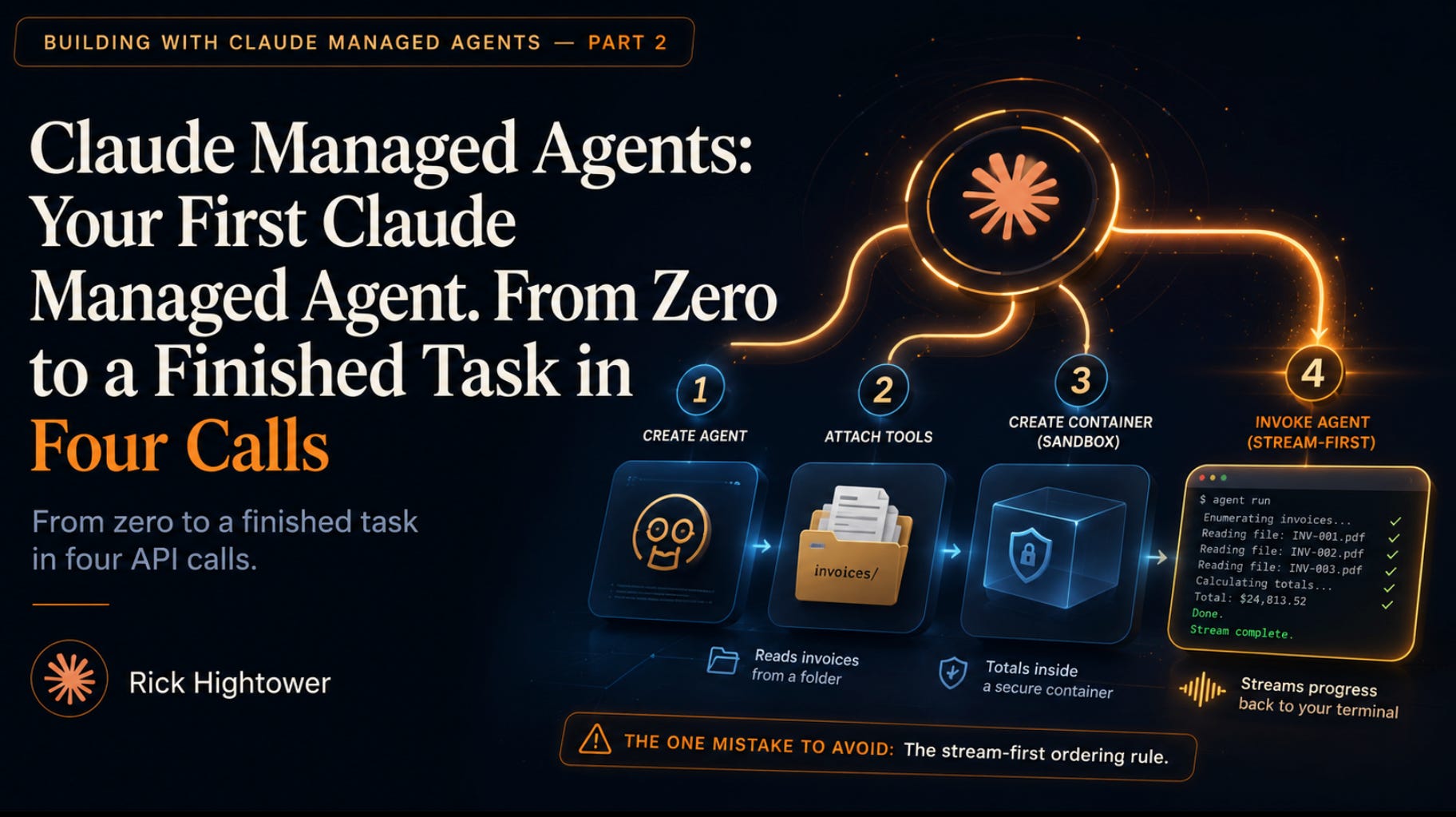
The first three API calls make the agent look deceptively simple. The fourth is where everything can hang, and one small ordering mistake decides whether your agent finishes the job or never comes back.
In this article: You will build a real Claude Managed Agent that reads a folder of invoices, totals them inside a real container, and streams its progress back to your terminal. It takes exactly four API calls. Three are nearly boilerplate. The fourth hides the most common first-run mistake in the whole product, and by the end you will know exactly why the order of two lines decides whether your agent works or hangs.
Part 2 of “Building with Claude Managed Agents,” a 13-part guide to building production-ready AI agents.
Create an agent, stand up an environment, open a session, and stream back real work. Plus the one ordering rule that quietly breaks almost everyone’s first run.
Most tutorials for autonomous AI agent infrastructure bury you in concepts before you see a single result. This one does the opposite. You are going to ship a working agent in four calls, watch it think out loud, and only then slow down to understand what happened.
Here is the shape of the work. Claude Managed Agents run server-side. You define an agent, give it an environment to run in, open a session for one task, and stream the results back. No tool loop to hand-roll, no orchestration code, no babysitting. The agent decides what to do and does it inside a container Anthropic provisions for you.
The catch is small and sharp. Three of the four calls are forgettable plumbing. The fourth, the one where you actually start the work, has an ordering rule that runs against every instinct you built from years of request-response APIs. Get it wrong and your first run hangs or comes back empty, and you will spend twenty minutes debugging a problem that is two lines in the wrong sequence. We will build up to it deliberately.
Code is shown in Python and TypeScript. Pick your stack and follow one column. The shapes are identical across both.
The shape of the work: create once, run many
Before any code, hold one idea steady, because it explains why this is four calls instead of one.
The agent and the environment are durable resources. They live on Anthropic’s side. You create each one once, get back an ID, and reference that ID forever after. The session is the disposable part: one per task, created fresh each time, pointing at the durable agent and environment.
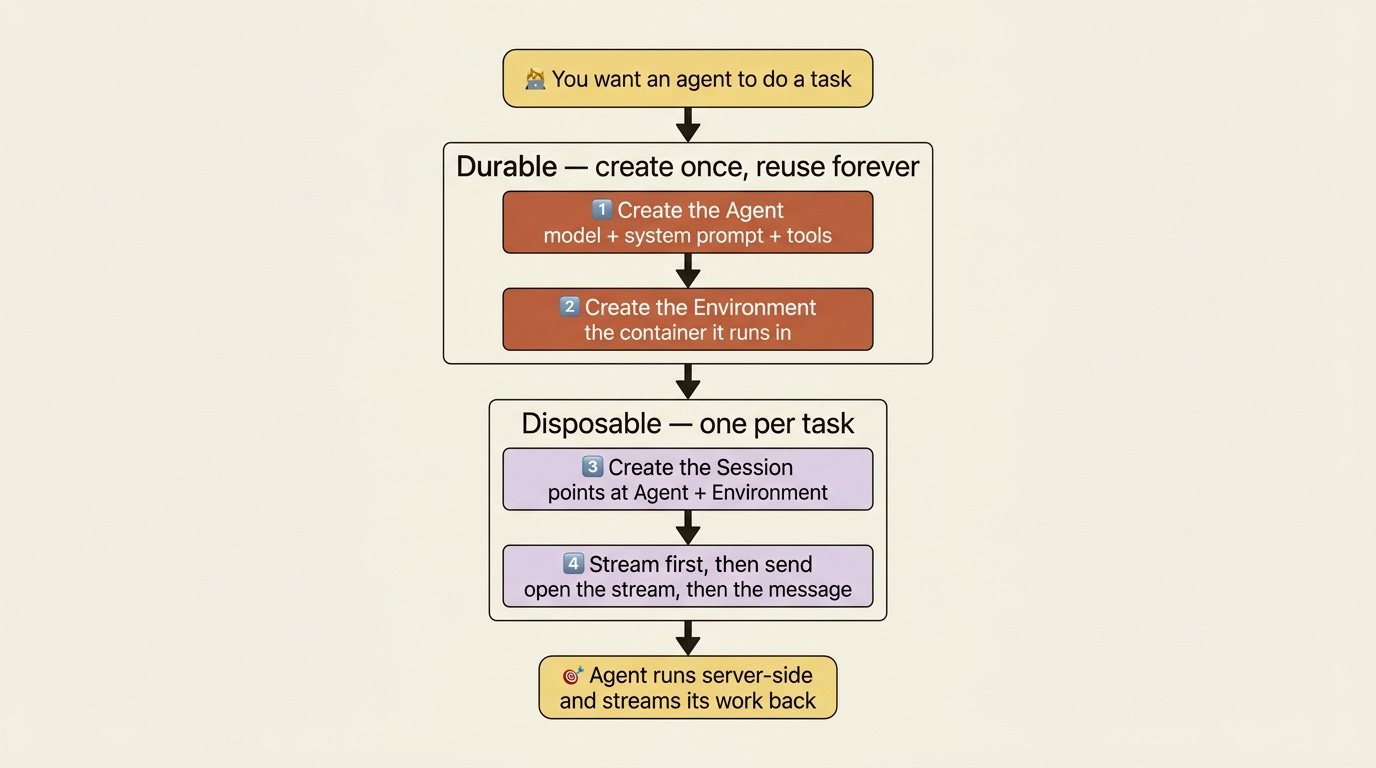
That split is the opposite of a single stateless API call, and it is the source of most of the power in this model. For now it just means you do a little setup once, and then starting new work is a one-liner. The invoice agent you define here is the kind of thing you reuse across many tasks. You define it, then you forget about redefining it.
Step 1: Create the agent
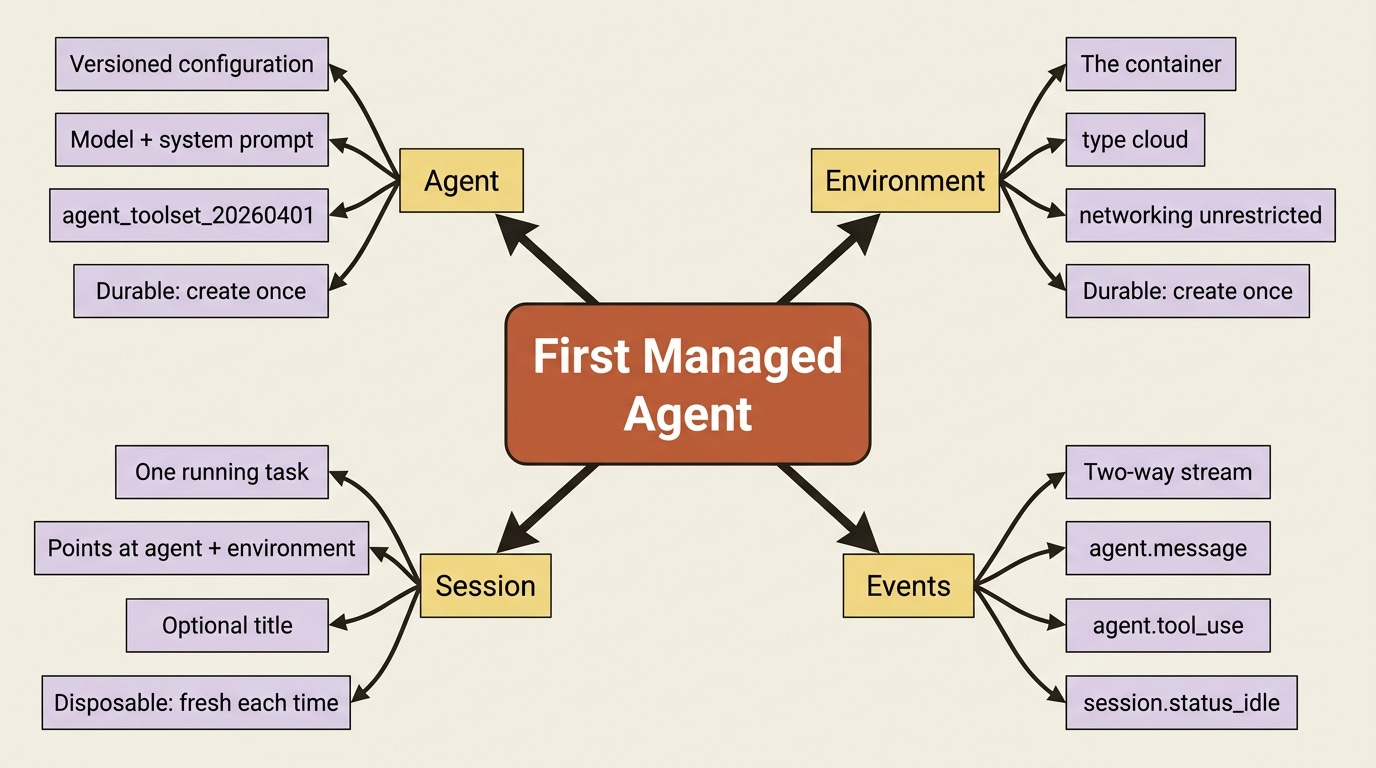
An agent is the model, a system prompt, and the tools it is allowed to use. For an invoice-reconciliation agent you give it a clear job in the system prompt and hand it the full pre-built toolset.
Here it is in Python:
from anthropic import Anthropic

client = Anthropic()

agent = client.beta.agents.create(
    name="Invoice Reconciler",
    model="claude-opus-4-7",
    system=(
        "You are an invoice-reconciliation agent. You read vendor invoices, "
        "cross-check them against a ledger, and report any discrepancies clearly. "
        "Show your work and verify results before reporting them done."
    ),
    tools=[
        {"type": "agent_toolset_20260401"},
    ],
)

print(f"Agent ID: {agent.id}, version: {agent.version}")
And in TypeScript:
import Anthropic from "@anthropic-ai/sdk";

const client = new Anthropic();

const agent = await client.beta.agents.create({
  name: "Invoice Reconciler",
  model: "claude-opus-4-7",
  system:
    "You are an invoice-reconciliation agent. You read vendor invoices, " +
    "cross-check them against a ledger, and report any discrepancies clearly. " +
    "Show your work and verify results before reporting them done.",
  tools: [{ type: "agent_toolset_20260401" }],
});

console.log(`Agent ID: ${agent.id}, version: ${agent.version}`);
Two things in that response are worth noticing. The agent.id is what every future session points at, so save it. The agent.version is the quieter half of the story. Agents are versioned, so when you change this configuration later and create it again, you get a new version rather than a duplicate. Sessions can pin to a specific version or float to the latest. That matters a great deal when you deploy. For now, just register that the version number exists and means something.
The agent_toolset_20260401 line is doing a lot of quiet lifting. That single entry enables the full pre-built toolset: bash, file read, write, edit, glob, grep, web fetch, and web search, all executed server-side inside the container. You are not wiring up tool execution. You are switching it on.
If you are a paid subscriber, thank you. Your support makes this work possible.
If you are a free subscriber and find these articles useful, please consider upgrading. A paid subscription is $80 per year or $8 per month.
