
Claude Managed Agents: Two Words Stand Between Your Agent and a Deleted Ledger
Part 5: The Managed Agents permission system has only two policies and one override, and that minimalism is a feature once you see where the real control lives.

The invoice agent decided the cleanest way to reconcile the ledger was to rewrite it from scratch.
By the time you noticed, the production numbers were gone.
Two words could have stopped it.
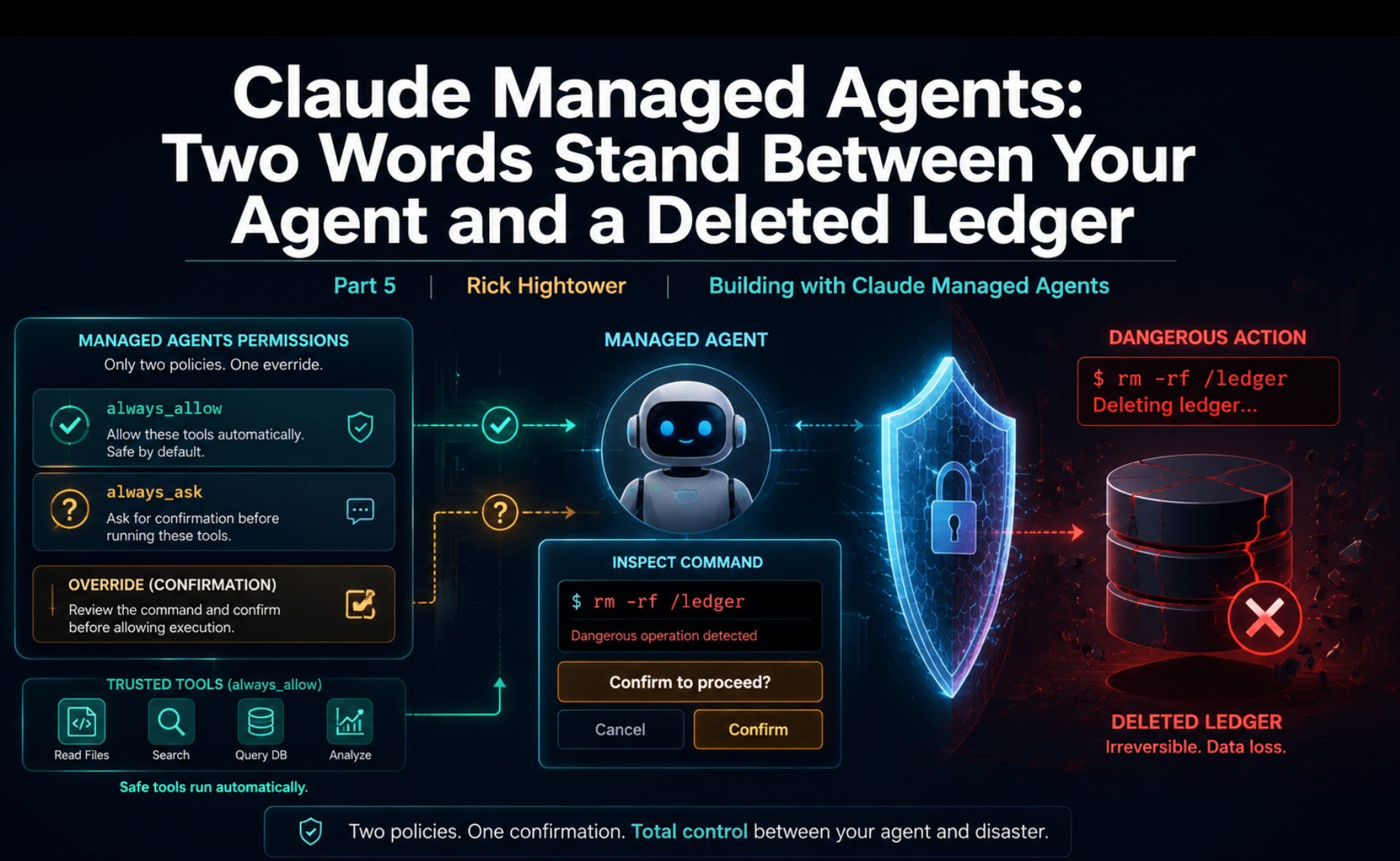
In this article: You will learn how Claude Managed Agents permissions actually work, which is far simpler than most permission systems and deliberately so. We cover what the two policies do, why the agent toolset and MCP tools have opposite defaults, how to trust the safe tools while gating the dangerous ones, and how the confirmation flow lets you inspect a real command before it runs. By the end, you can hand an agent a shell and still sleep at night.
Part 5 of “Building with Claude Managed Agents,” a 13-part guide to building production-ready AI agents.
always_allow and always_ask are the only permissions in the permission vocabulary for server-run tools. No rule DSL, no glob patterns, just a policy and a per-tool override. Here is how to scope a capable agent so it asks before it does anything you would regret.
The invoice agent can run bash. That is wonderful right up until the moment it decides the cleanest way to reconcile the ledger is to rewrite it, or a malformed invoice convinces it to run a command you never intended. A pre-built toolset is powerful precisely because the harness executes it for you without a round trip back to your code. That same property is exactly what makes it worth putting on a leash. An agent that can act without asking is an agent that can act wrongly without asking.
This is the safety part of building with Managed Agents. The good news is that the control surface is small enough to hold in your head. There are two permission policies, one place to set a default, one place to override per tool, and one event you send to approve or deny a paused call. That is the whole system.
If you arrived expecting a rule language with glob patterns like Bash(npm *), set that expectation down now. Claude Managed Agents permissions do not have that. The system has a policy and an override, and for most agents that turns out to be more than enough. The minimalism is not a gap. It is a design choice, and once you see where the real control lives, you stop missing the rule language entirely.
Code below is shown in Python and TypeScript.
What permissions actually govern
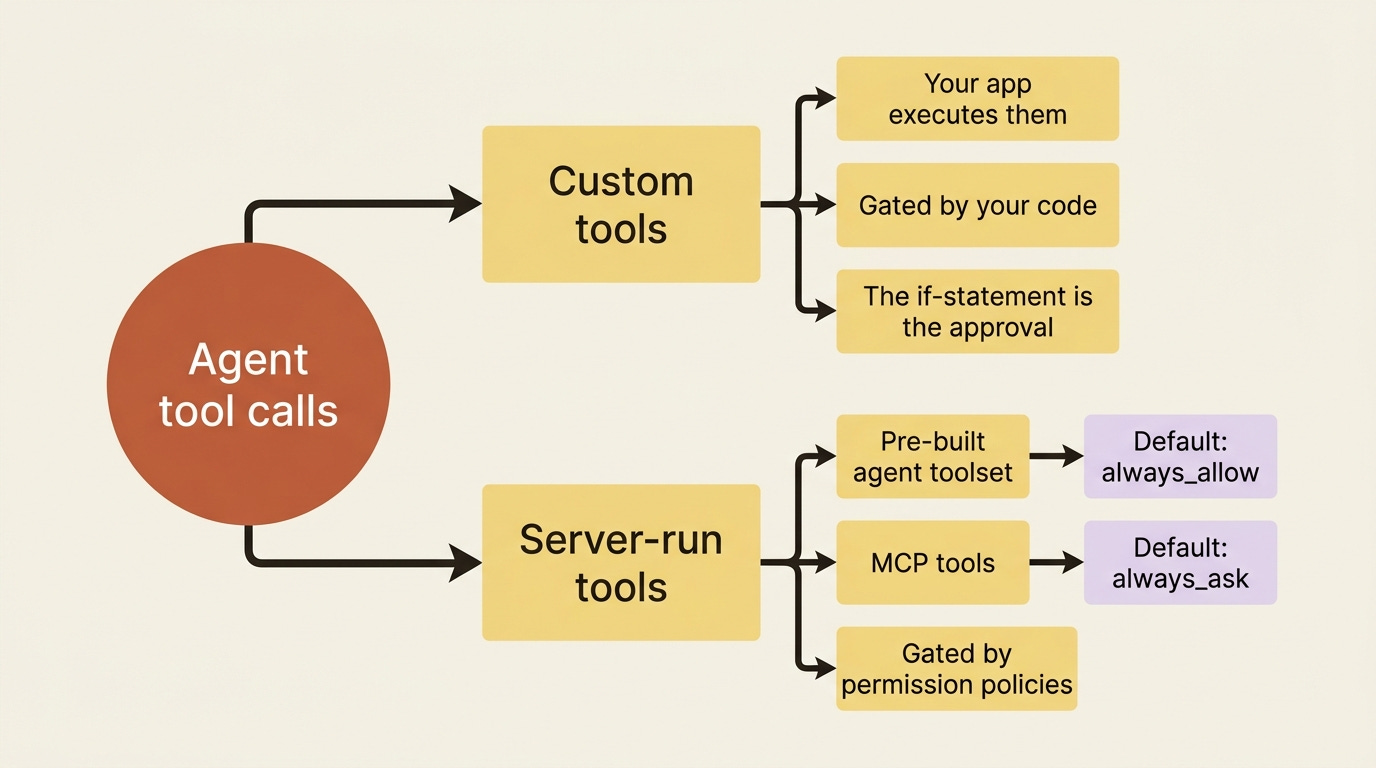
Be precise about the scope, because it is narrower than it sounds. Permission policies control only the tools the harness runs on your behalf: the pre-built agent toolset and any MCP tools. They decide one thing: whether such a tool executes automatically or pauses to wait for your approval.
They do not touch custom tools at all. The reason is structural. Your application executes custom tools, so you already hold the decision, and the “approval” is simply the if statement in your handler. Permissions exist for exactly the tools you do not run yourself, the ones where, without a policy, the agent would act and you would only find out afterward.
So the mental split is clean. Custom tools are gated by your code. Server-run tools are gated by permission policies. Nothing falls between the two.
The entire vocabulary: two policies
There are two policy types, and their names say what they do.
PolicyBehavior: always_allow. The tool runs automatically, no confirmation. always_ask. The session pauses and waits for your approval before the tool runs.
That is it. There is no “ask once then remember,” no per-argument matching, and no pattern syntax. A tool is either trusted to run on its own or it stops and asks every time. The simplicity is deliberate. The rich behavior comes not from a complex rule language but from where you attach these two policies, which is the next question.
The defaults matter, and they differ by toolset. If you say nothing, the agent toolset runs with always_allow, so bash, read, write, and the rest all execute freely. The MCP toolset is the opposite: it defaults to always_ask.
That asymmetry is intentional and worth understanding. The built-in tools are a known, fixed set. An MCP server is a moving target whose available tools can change under you as the server adds capabilities. The safe default, then, is to make every MCP call ask until you explicitly decide a server is trusted.
Setting a policy for the whole toolset
The blunt instrument is default_config.permission_policy, which applies one policy to every tool in a toolset. To make the agent ask before running anything in the pre-built toolset, you set the default to always_ask when you create the agent.
In Python:
agent = client.beta.agents.create(
    name="Invoice Reconciler",
    model="claude-opus-4-7",
    system="You are an invoice-reconciliation agent...",
    tools=[
        {
            "type": "agent_toolset_20260401",
            "default_config": {
                "permission_policy": {"type": "always_ask"},
            },
        },
    ],
)
And in TypeScript:
const agent = await client.beta.agents.create({
  name: "Invoice Reconciler",
  model: "claude-opus-4-7",
  system: "You are an invoice-reconciliation agent...",
  tools: [
    {
      type: "agent_toolset_20260401",
      default_config: { permission_policy: { type: "always_ask" } },
    },
  ],
});
That is maximally cautious, and for a first run against unfamiliar data it is not a bad place to start. However, asking before every read and every glob gets old fast, because reads are harmless and you will approve them every single time. What you actually want is to trust the safe tools and gate only the dangerous ones. That is what the override is for.
If you are a paid subscriber, thank you. Your support makes this work possible.
If you are a free subscriber and find these articles useful, please consider upgrading. A paid subscription is $80 per year or $8 per month.
Free subscribers typically receive access to the full versions of paid articles after one to two months.
