
Claude Managed Agents: Idle’ Does Not Mean Done: How to Actually Read a Managed Agents Event Stream - III
Part 3: The Managed Agents event stream is not a streaming convenience; it is the entire control surface, and one field on one event decides whether your agent ships or hangs forever.

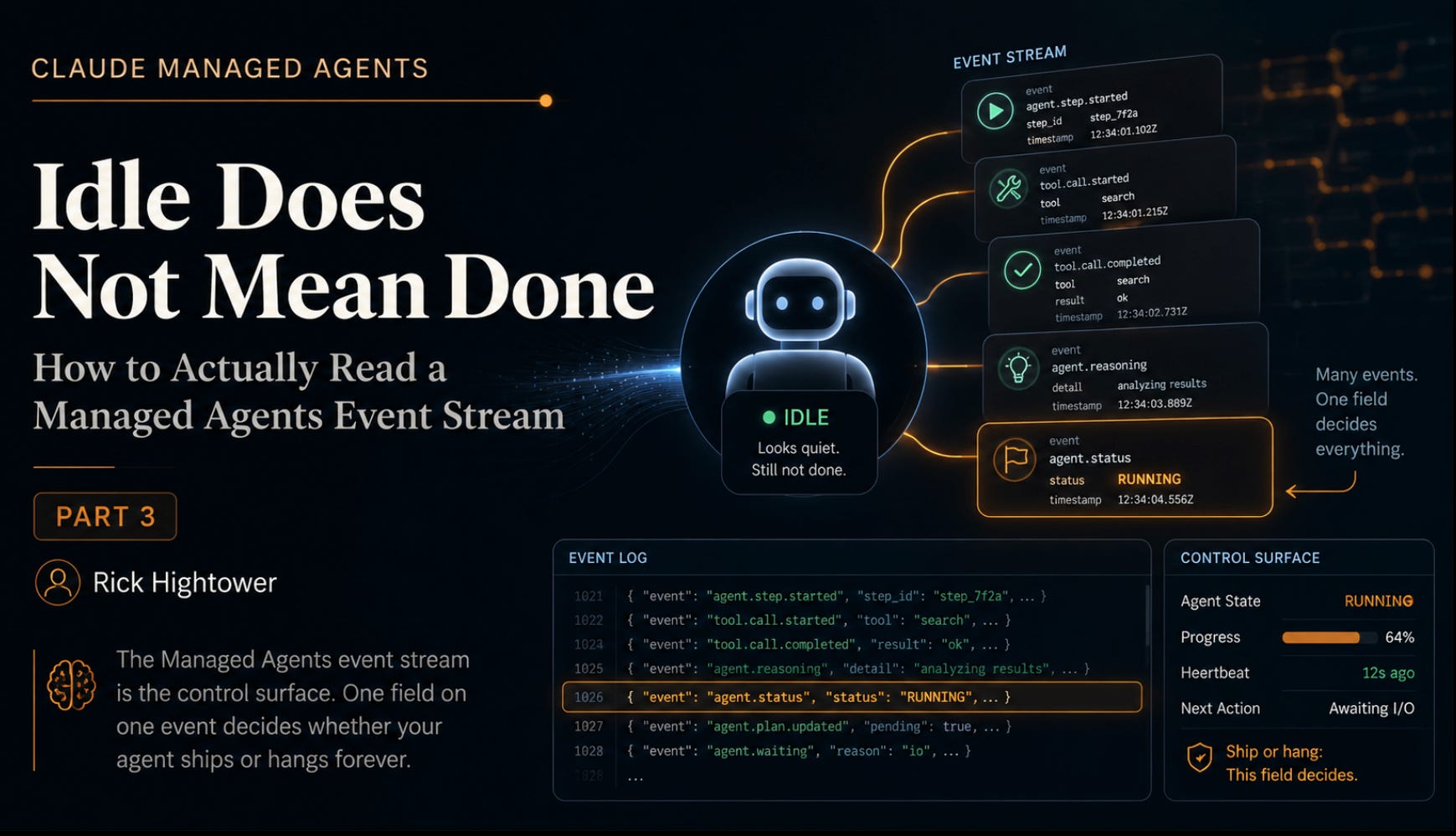
Your agent stops working, the event stream goes quiet, and everything looks finished. But one overlooked field may be hiding a question your code never answered, leaving the agent waiting forever while your application confidently calls it done.
In this article: You will learn why the Claude Managed Agents event stream is the entire interface, not a streaming add-on. We cover the five events you send, the three families of events you receive, and the single field,
stop_reason, that separates an agent that finishes its work from one that hangs forever. By the end you will know how to build an event loop that steers, interrupts, and never silently freezes.
Part 3 of “Building with Claude Managed Agents,” a 13-part guide to building production-ready AI agents
With Managed Agents, the tool loop runs on Anthropic’s servers and narrates itself to you in events. Learn to read that stream and steering, interrupting, permissions, and outcomes all turn out to be the same mechanism.
If you have built with the Messages API, you know the rhythm: call the model, see a tool request, run the tool, feed the result back, call again. You write that loop. You own every iteration of it.
Managed Agents takes that loop away from you. The loop runs server-side, inside Anthropic’s harness, and you never write it. That sounds like a simplification, and it is. But it raises a question that the rest of your agent’s behavior hinges on: if you do not control the loop, how do you see it?
The answer is the Claude Managed Agents event stream. A loop you cannot control is a loop you cannot see, so the harness narrates it to you as a stream of events, and it accepts your input as events too. This is the reframe that makes everything else click. The event stream is not a streaming convenience bolted onto a request-response API. It is the entire interface. Once you can read it, you can steer an agent, interrupt it, approve its tool calls, and judge its outcomes, because all of those are just particular events flowing one way or the other.
This article is the longest in the early part of the series on purpose. The event model is the thing the whole system is built on.
Events flow in two directions
Start with the shape. Communication with a Managed Agents session is bidirectional. You send a small number of user event types to start and steer the work. You receive a larger number of agent, session, and span events back as the agent runs. Every event type is a string in {domain}.{action} form, which is why you see readable names like agent.tool_use and session.status_idle rather than opaque codes.
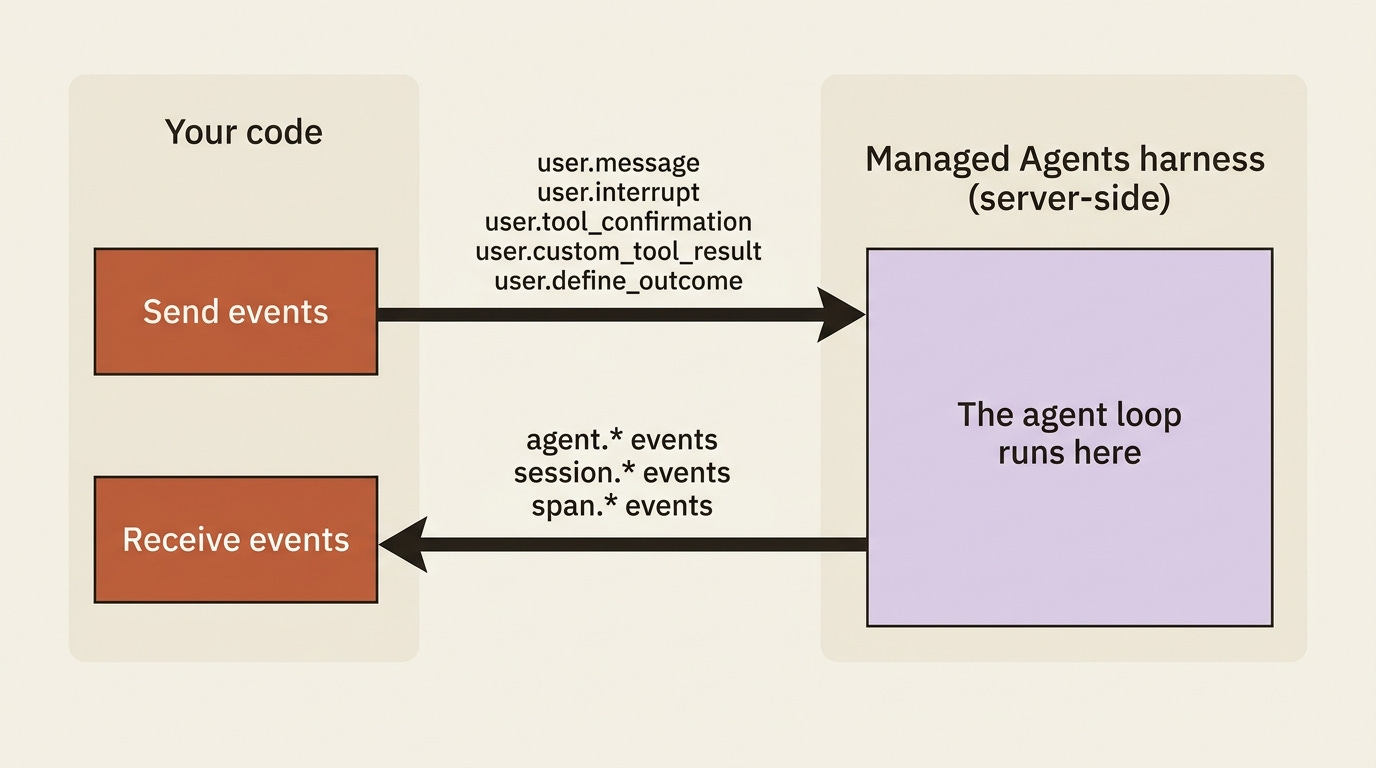
The events you send are few, because there are only so many things you can tell a running agent to do.
TypeWhat it doesuser.messageSend text to start or continue the work.user.interruptStop the agent mid-execution.user.tool_confirmationApprove or deny a tool call that a permission policy paused.user.custom_tool_resultReturn the result of one of your custom tools.user.define_outcomeHand the agent a goal to work toward and self-evaluate against.
That is the entire input surface of the system: five event types, though self-hosted environments add a sixth, user.tool_result, which the SDK and CLI provide automatically for cloud environments. That is the whole vocabulary you will ever speak to a Managed Agents session. Most of your work uses just the first one. The other four unlock specific capabilities, but the list never grows beyond five for cloud environments.
The events you receive are richer, because the agent has more to tell you than you have to tell it. They split into three families.
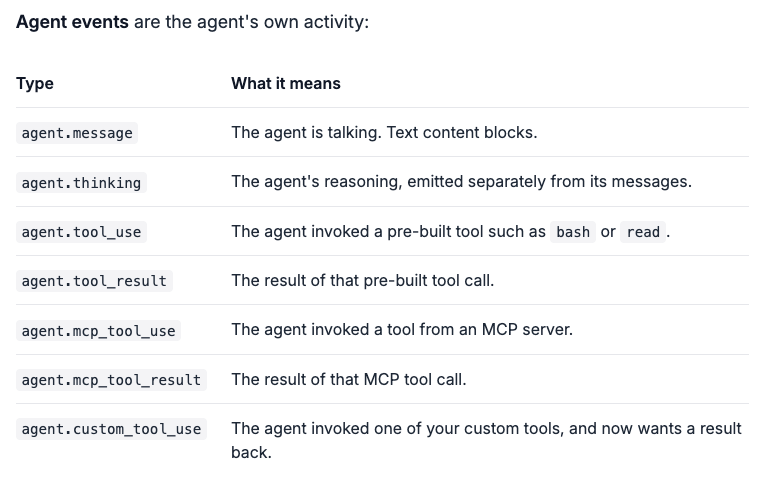
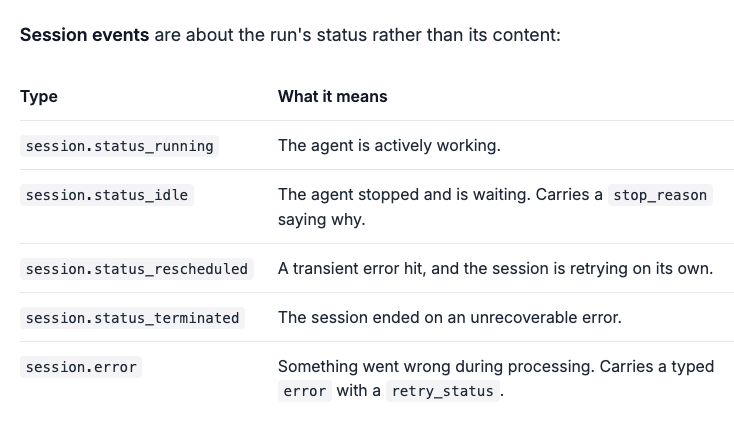
Span events are pure observability markers. They wrap activity so you can time it and count tokens, and span.model_request_start and span.model_request_end are the two you will see constantly.
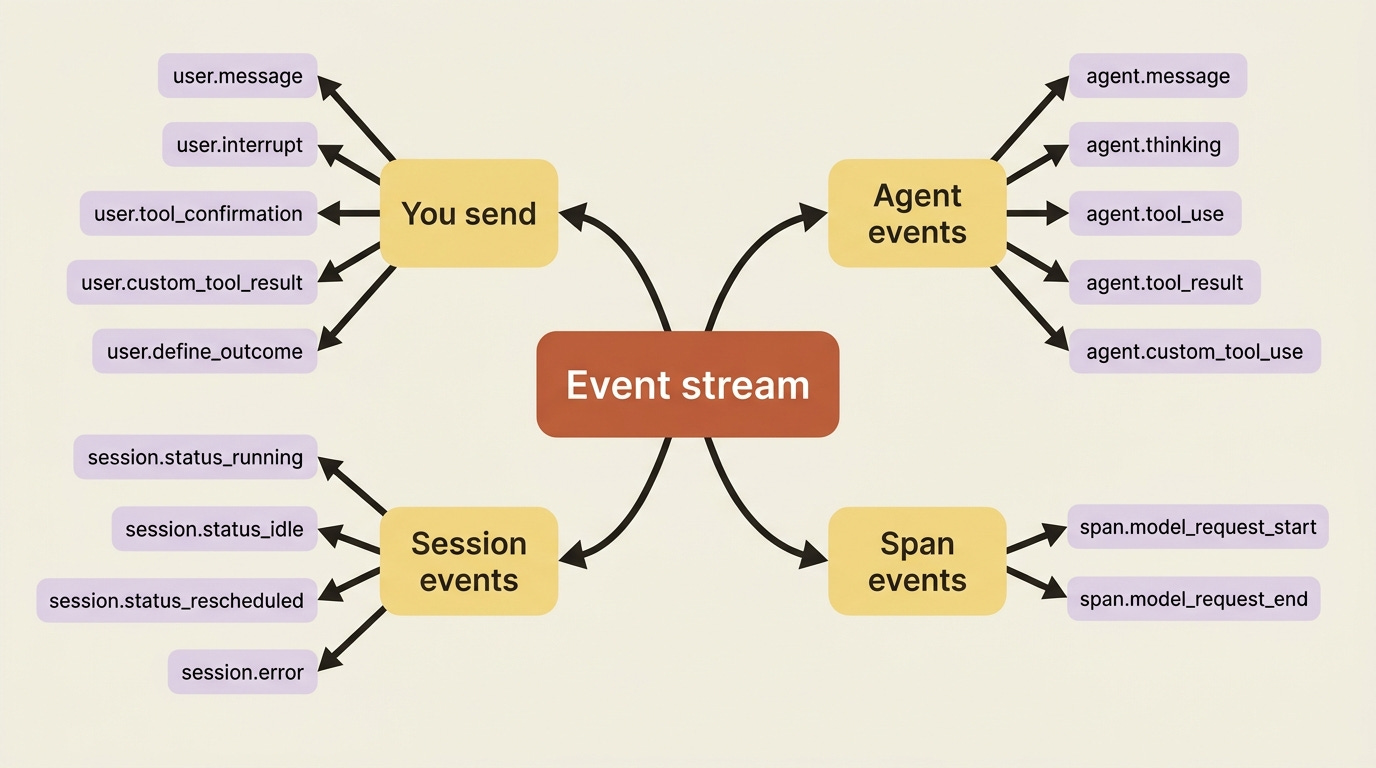
That is a lot of names. You do not memorize them. You learn the handful that drive control flow, and you let your event loop ignore the rest until a feature gives you a reason to care.
The stream is the interface, so open it first
There is one rule about the event stream that you violate exactly once before it burns itself into your memory: open the stream, then send the message.
The stream only delivers events emitted after you open it. If you send the message first, the agent can start working, and emit events, before your listener exists to catch them. You lose the beginning of the run, and on a fast agent you can lose the whole thing. The fix is not a workaround; it is the documented order of operations. Open the stream before sending events to avoid a race condition.
The SDK shape makes the correct order the natural one. You open the stream, send inside that scope, and loop. Here is a loop in Python that also catches errors:
with client.beta.sessions.events.stream(session.id) as stream:
    client.beta.sessions.events.send(
        session.id,
        events=[
            {
                "type": "user.message",
                "content": [{"type": "text", "text": "Reconcile the March invoices against the ledger."}],
            },
        ],
    )

    for event in stream:
        match event.type:
            case "agent.message":
                for block in event.content:
                    if block.type == "text":
                        print(block.text, end="")
            case "session.status_idle":
                break
            case "session.error":
                msg = event.error.message if event.error else "unknown"
                print(f"\n[Error: {msg}]")
                break
The same loop in TypeScript:
const stream = await client.beta.sessions.events.stream(session.id);
await client.beta.sessions.events.send(session.id, {
  events: [
    {
      type: "user.message",
      content: [{ type: "text", text: "Reconcile the March invoices against the ledger." }],
    },
  ],
});

for await (const event of stream) {
  if (event.type === "agent.message") {
    for (const block of event.content) {
      if (block.type === "text") process.stdout.write(block.text);
    }
  } else if (event.type === "session.status_idle") {
    break;
  } else if (event.type === "session.error") {
    console.log(`\n[Error: ${event.error?.message ?? "unknown"}]`);
    break;
  }
}
Adding the session.error case is the difference between a demo and something you would leave running. The error object carries a retry_status, so your handler can tell a transient hiccup that the harness will retry on its own from a hard failure that needs you. For now, printing and breaking is enough.
If you are a paid subscriber, thank you. Your support makes this work possible.
If you are a free subscriber and find these articles useful, please consider upgrading. A paid subscription is $80 per year or $8 per month.
Free subscribers typically receive access to the full versions of paid articles after one to two months.
